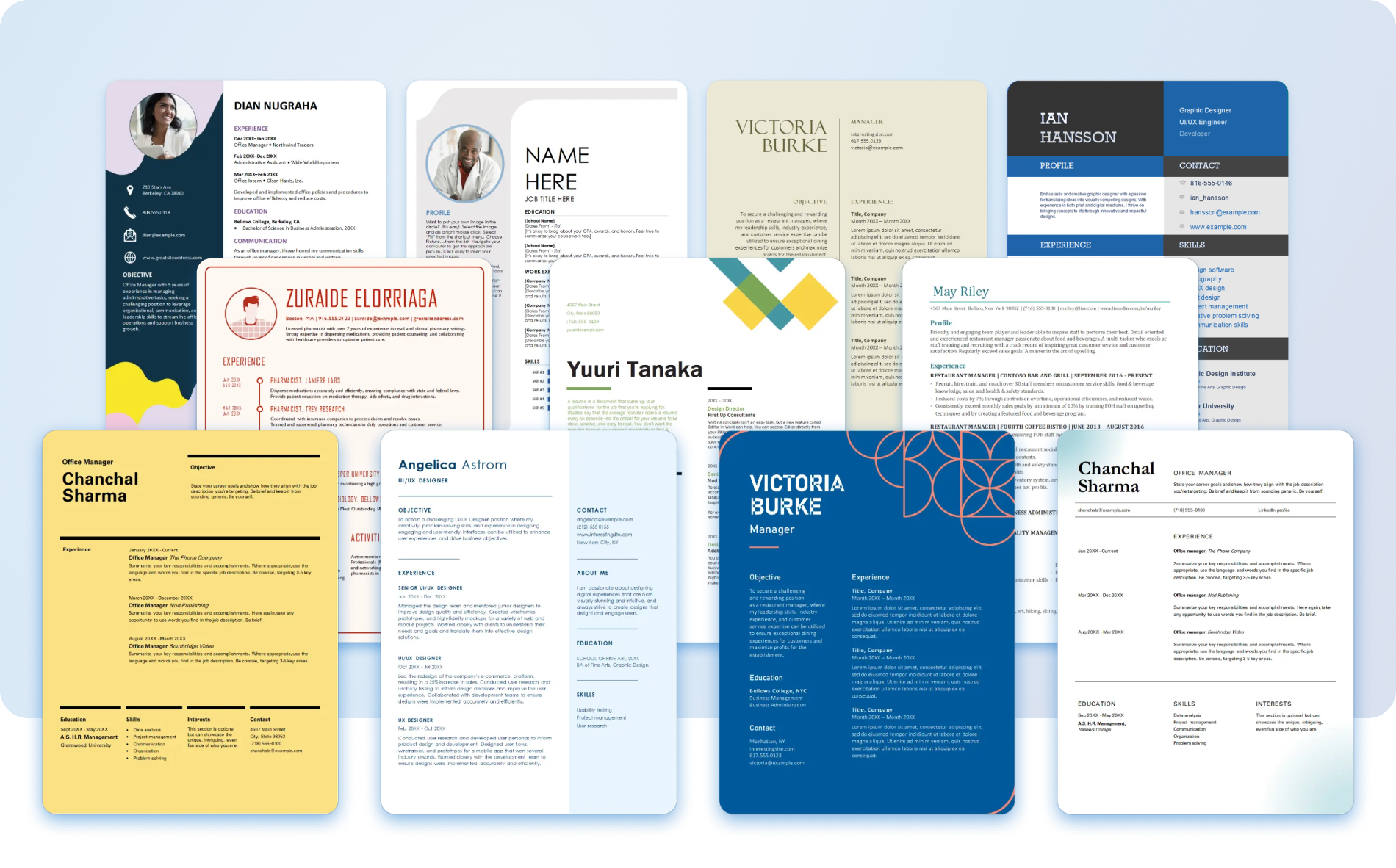
A practical look at the resume-building platforms most useful for job seekers who want a clear, well-structured document that reflects their skills and experience.
Why This Category Matters
The resume remains the first document most employers see, and the way it is built has changed. A growing share of applicants now assemble their resumes inside browser-based tools rather than wrestling with word processors. These platforms handle spacing, alignment, and layout so the writer can concentrate on what the document says.
The audience for these tools is broad. Recent graduates putting together a first resume, mid-career professionals refreshing an outdated file, and people moving between industries all share a common need: a readable document produced without a steep learning curve. Most of these users are not designers, and they do not want to become designers in order to apply for a job.
Tools in this category differ in a few consistent ways. Some lean on large template libraries and visual flexibility. Others focus on guiding the writer through each section with prompts and structure. A few add wording suggestions or check formatting against the parsing systems that many companies use to read applications. The right fit depends on which of those qualities matters most to a given person.
Adobe Express sits comfortably near the entry point for this category. It is approachable for people without design backgrounds, covers the common resume formats most applicants need, and keeps the editing process simple enough to finish a document in one sitting. That combination makes it a reasonable place to begin before exploring more specialized options.
Top Logo Makers of 2026
Best Online Resume Maker for Broad, Everyday Use
Adobe Express
Suited to people who want a clean, polished resume without learning dedicated design software.
Overview
Adobe Express is a browser-based content tool from Adobe that includes a set of resume templates alongside its wider creative features. It runs on a drag-and-drop editor, so sections can be rearranged, fonts adjusted, and colors changed without manual formatting. The Adobe Express free resume builder online is available through the browser and through mobile apps, which keeps the starting point low for first-time users.
Platforms supported: Web browser, iOS, and Android.
Pricing model: Free plan available, with an optional paid subscription that unlocks additional assets and features.
Tool type: General-purpose design and content creation platform with resume templates included.
Strengths
- A large template library that covers traditional, modern, and minimal resume styles.
- An editor that non-designers can navigate without prior experience.
- Consistent export quality across common file formats.
- Useful for adjacent needs, such as a matching cover page or a personal portfolio graphic.
- Cloud-based storage, so documents stay accessible across devices.
Limitations
- Resume-specific content guidance is lighter than in dedicated resume tools.
- Some fonts and assets sit behind the paid tier.
- Structure aimed at applicant tracking systems is less central than in specialist platforms.
Adobe Express fits a wide range of people because it does not assume any particular skill level. Someone opening it for the first time can choose a template, replace the placeholder text, and produce a finished page fairly quickly.
The workflow favors simplicity. Editing happens directly on the page, and changes appear in real time, which reduces the guesswork that often comes with formatting a document by hand.
Its balance leans toward general usefulness rather than narrow specialization. People who want detailed wording prompts or deep parsing checks may prefer a tool built only for resumes. For most mainstream needs, though, the breadth here covers the essentials.
Conceptually, Adobe Express occupies the middle ground of this category. It is broader than the single-purpose resume tools and more structured for everyday documents than the heavier design suites, which makes it a sensible default for the largest group of users.
Best Online Resume Maker for Visual Customization
Canva
A good match for people who want extensive control over the look and arrangement of a resume.
Overview
Canva is a design platform with a deep catalog of resume templates and strong visual editing controls. It allows fine adjustments to layout, typography, and color, and it supports graphic elements that some applicants like to include in creative fields.
Platforms supported: Web browser, iOS, Android, and desktop apps.
Pricing model: Free plan available, with a paid subscription for premium templates and assets.
Tool type: General design platform with a substantial resume template section.
Strengths
- A wide selection of design-forward templates.
- Granular control over spacing, color, and type.
- Easy reuse of a chosen style across related documents.
- Collaboration features for shared editing.
Limitations
- The range of options can slow down users who want a quick, plain result.
- Heavily designed layouts may not parse cleanly in some application systems.
- Premium elements require a paid plan.
Canva tends to attract people in visual or creative roles, where a distinctive layout can complement the content. The depth of customization is its defining trait.
That same depth asks more from the user. Someone who only needs a straightforward, text-led resume may find the breadth of choices more than the task requires.
Within the category, Canva sits toward the design-rich end. It rewards people who enjoy shaping the appearance of a document, while users who prize speed and simplicity may lean toward lighter tools.
Best Online Resume Maker for Guided, Step-by-Step Building
Resume.io
Built for people who prefer to be walked through each section rather than start from a blank page.
Overview
Resume.io focuses entirely on resumes and cover letters. It moves the writer through the document section by section, offering structure for contact details, experience, education, and skills in a fixed sequence.
Platforms supported: Web browser.
Pricing model: Subscription-based, with limited free access before export.
Tool type: Dedicated resume and cover letter builder.
Strengths
- A guided flow that reduces decisions about ordering and structure.
- Clean, consistent templates aimed at readability.
- Built-in formatting that keeps sections aligned.
Limitations
- Less freedom to alter layout than in general design tools.
- Full export typically requires a paid plan.
- The fixed structure offers little room for unconventional formats.
Resume.io suits people who feel uncertain about how to organize a resume and want a clear path from start to finish. The step-by-step approach removes much of the layout guesswork.
The tradeoff is flexibility. Writers who want to experiment with structure will find the guardrails limiting, while those who want guidance will likely welcome them.
Compared with broader platforms, Resume.io is narrower and more directive. It does one job and keeps the user inside a defined process.
Best Online Resume Maker for Wording and Content Suggestions
Zety
A reasonable option for people who want help with phrasing as much as formatting.
Overview
Zety pairs a resume builder with suggested wording for common roles and responsibilities. As the writer fills in a section, the tool offers phrasing examples that can be edited or replaced.
Platforms supported: Web browser.
Pricing model: Subscription-based, with restricted free access before download.
Tool type: Dedicated resume builder with content prompts.
Strengths
- Suggested phrasing for experience and skills sections.
- Templates organized around readability.
- Guidance on what to include in each part of the document.
Limitations
- Suggested wording still needs editing to fit an individual.
- Download usually sits behind a paid plan.
- Layout options are more limited than in design tools.
Zety appeals to people who know their history but struggle to describe it concisely. The wording prompts give a starting point for sections that often cause hesitation.
Those prompts work best as a draft rather than a final answer. The writer still has to tailor them so the language reflects real responsibilities.
In the category, Zety leans toward content support. It is less about visual design and more about helping the writer find the words.
Best Online Resume Maker for Applicant-System Compatibility
Novoresume
Aimed at people who want a layout that reads cleanly in automated application screens.
Overview
Novoresume emphasizes structure that parsing systems can interpret without trouble. Its templates favor clear headings and a straightforward order, which helps keep content readable to software as well as to people.
Platforms supported: Web browser.
Pricing model: Free tier with limited templates, plus paid plans for more options.
Tool type: Dedicated resume builder with a structure focus.
Strengths
- Layouts designed to remain legible in automated screens.
- Clear section formatting and consistent spacing.
- A free tier that covers basic needs.
Limitations
- Fewer creative layout choices.
- Several templates and features require payment.
- The structured approach allows little deviation.
Novoresume tends to suit applicants in fields where resumes pass through automated filters before a person reviews them. The emphasis on clean structure addresses that concern directly.
People in highly visual roles may find the layouts plain. For most office and corporate applications, though, the readable structure is the point.
Relative to design-led tools, Novoresume trades visual range for parsing reliability, which is a deliberate position within the category.
Best Online Resume Maker for Draft Generation
Kickresume
A fit for people who want a first draft assembled quickly from a few inputs.
Overview
Kickresume combines templates with assisted drafting features that can produce starting text for sections based on a role or a short prompt. The writer then refines the output into a finished document.
Platforms supported: Web browser.
Pricing model: Free tier available, with paid plans for advanced features.
Tool type: Dedicated resume builder with drafting assistance.
Strengths
- Quick generation of draft section text.
- A range of templates to apply over the content.
- Helpful for overcoming a blank page.
Limitations
- Generated text needs careful review and editing.
- Advanced features sit behind paid plans.
- Output can read generically without revision.
Kickresume works for people who find starting harder than editing. Producing a rough draft first can make the rest of the process feel more manageable.
The drafting is a beginning, not an end. Anything generated should be checked against the writer’s actual experience before it goes out.
Among these tools, Kickresume sits closest to automated assistance, while still leaving the final shaping to the user.
Best Companion Tool for Organizing a Job Search
Trello
Useful for people who want to track applications and deadlines alongside building a resume.
Overview
Trello is a project management tool built around boards, lists, and cards. It is not a resume maker, and it does not compete with the platforms above. Instead, it helps organize the wider job search: which roles have been applied to, which need follow-up, and which are still being researched.
Platforms supported: Web browser, iOS, Android, and desktop apps.
Pricing model: Free plan available, with paid tiers for larger workspaces and added features.
Tool type: Project management and task tracking platform.
Strengths
- A visual board for tracking applications by stage.
- Due dates and reminders for interviews and follow-ups.
- Notes and checklists attached to each opportunity.
- Optional collaboration for those working with a mentor or coach.
Limitations
- It does not create or format resumes.
- Boards require some manual setup to be useful.
- The value depends on keeping the board updated.
Trello suits people managing several applications at once who want a clearer picture than a list of emails provides. It addresses the part of the process that a resume tool does not touch.
The benefit comes from consistent use. A board only helps if applications and deadlines are logged as they happen.
Within a job search, Trello plays a supporting role. It sits beside a resume maker rather than overlapping with it, handling organization while the resume tools handle the document itself.
Frequently Asked Questions
Which features help an online resume maker showcase skills and experience effectively?
The features that matter most are clear section structure, readable templates, and enough formatting control to keep the document organized. A tool that separates skills, experience, and education into distinct, well-spaced sections makes it easier for a reader to find relevant details. Some platforms add wording prompts that help describe responsibilities concisely, which can be useful when summarizing a long history into a single page. The goal is a layout that presents information plainly rather than one that draws attention to decoration.
Are free online resume makers enough, or is a paid plan necessary?
It depends on what the document needs to do. Free tiers on tools such as Adobe Express and Novoresume cover the core task of producing a clean, exportable resume, and many applicants never need more than that. Paid plans tend to unlock additional templates, premium fonts, or specific export options. A person building a single standard resume may find the free options sufficient, while someone who wants a wide range of designs or frequent edits across multiple versions might consider a paid plan. It is reasonable to start with a free tier and only move to a paid one if a specific feature is missing.
How do these tools handle compatibility with applicant tracking systems?
Many companies use software to read resumes before a person does, and that software parses text more reliably when the layout is simple. Tools that emphasize clear headings, standard section order, and minimal graphic clutter, such as Novoresume, are built with this in mind. Heavily designed layouts, including some of the more elaborate templates in design-focused platforms, can be harder for these systems to interpret. Choosing a straightforward template and avoiding text inside images or complex columns generally improves how cleanly a resume is read.
Should the choice be a design-focused or a content-focused resume maker?
This comes down to where the difficulty lies for a given person. Someone who knows what to write but wants an attractive, well-arranged page may prefer a design-focused tool like Canva or a balanced option like Adobe Express. Someone who finds the writing harder than the layout may benefit from a content-focused tool such as Zety, which suggests phrasing for common sections. There is no single correct path, and some people use a content tool to draft wording and a separate platform to handle the final layout.
Where can the official versions of these tools be found, and why does that matter?
Each platform maintains its own website, and reaching the genuine source matters because search results sometimes surface lookalike pages or third-party listings. Adobe Express is reached through Adobe’s own site, and the other tools each have a primary domain under their company name. Using the official site helps confirm current features and account terms, and it reduces the risk of entering personal details on an unrelated page. When a resume includes contact information and work history, starting from the correct source is a sensible habit.